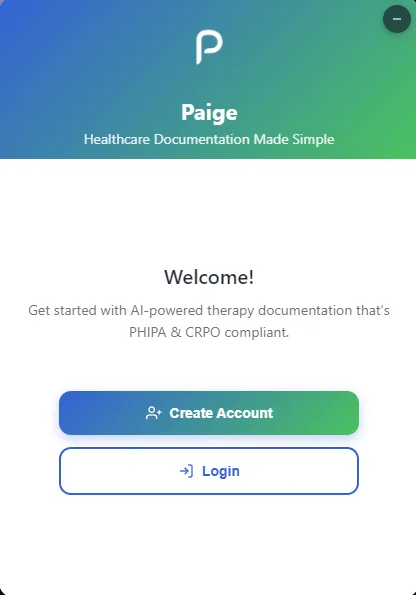
Everything starts in the browser extension, so the therapist never leaves the session to run it.
The largest unpaid cost in a therapy practice is the writing that happens after everyone has gone home. Paige takes that on: a therapist starts a recording from a Chrome extension while the session runs, in the room or over video, and gets back a transcript and a drafted clinical note to review and sign off on.
It is built for Canadian practice, which means it is built to PHIPA rather than to generic SaaS habits. Encryption, audit logging, consent records and retention are modules in the codebase, not a page in a policy document. That constraint shaped more of the architecture than any product decision did.
I built it on my own. All of it, over several months and largely unsupervised: the Chrome extension and its audio capture, the streaming path between the browser and the API, the transcription and note-generation services, the PHIPA plumbing, billing, the dashboard, the tests, and the deploy tooling. There was no other engineer on it.
How it fits together
A monorepo with four deployable pieces: a Chrome extension that captures audio, a FastAPI service that receives it over a WebSocket and turns it into a transcript and a note, a Next.js dashboard where the therapist reviews and edits, and AWS infrastructure defined in code. Postgres underneath, Redis for rate limiting, Whisper for transcription and GPT for the drafting, Stripe for subscriptions, and the whole thing on ECS in the Canadian region because health data should not leave the country.
What makes it hard
Audio chunks are not just bytes. Chrome's recorder emits streaming fragments, not files. The first one carries the header and track metadata and every one after it is bare data. Concatenate them naively and you get something the decoder refuses, and the failure is silent: corrupted audio still comes back as an empty transcript rather than an error. The fix is to pull the init segment off the first chunk and re-attach it to every one that follows, then validate headers server-side and trip a breaker after five bad chunks. It behaves differently across browsers and across machines running the same browser, and it is close to untestable in isolation. This is the problem I would warn a new engineer about on day one.
Chrome kills your extension mid-session. A Manifest V3 service worker is terminated after thirty seconds idle, taking the WebSocket and everything in memory with it. The reason it took so long to pin down is that it does not happen while DevTools is attached, which is exactly when you are watching. The working shape moves the socket into an offscreen document, heartbeats at twenty seconds rather than thirty, persists state where it survives a restart, and uses alarms as a backup wake. It is also why the extension requires a recent Chrome: before version 116, WebSocket traffic did not reset the idle timer at all. On some Macs, power management throttles the timers further, which is the whole explanation for "it only breaks for some users."
Overlapping audio windows are a correctness bug, not a performance one. Sending overlapping windows to the transcriber to avoid clipping words at the boundaries produced transcripts with every word repeated three times. The fix was to stop overlapping. I would not have guessed the failure mode in advance, and it is a good reminder that the obvious safety measure can be the thing that breaks you.
Where I learned what AI is actually for
This is the project where I worked out how to use AI properly in programming, mostly by finding the edges of it.
What it is good at turned out to be the parts I could have done myself but would rather not: the shape of an unfamiliar API, the boilerplate around a service I had already designed, a second opinion on an error message, talking through an approach before committing to it. On that work it is a real multiplier, and being fast there is what bought me the time to spend on the parts that were hard.
What it is not good at is the thing that made this project difficult. The two worst bugs here were WebM chunks that fail silently and a service worker that dies only when nobody is watching. Neither is in anyone's training data as a tidy answer, and asking about them produced confident, plausible, wrong suggestions. What actually solved them was reproducing the failure, reading what the browser genuinely does rather than what it is documented to do, and measuring. The uncomfortable lesson is that it helps least exactly where the problem is hardest, which is also where it is most tempting to keep asking.
So the rule I came out with: use it to go faster on what I already understand, and never to skip the understanding. If I could not explain why a fix works, it was not a fix yet.
What I took from it
- A silent failure is worse than a loud one by a wide margin. Corrupted audio returning an empty transcript instead of an error cost more debugging time than any crash on this project
- Compliance is an architecture, not a checklist. Once retention, audit and encryption are actual requirements, they decide your data model, and retrofitting them would have meant rebuilding it
- Bugs that only appear when you are not looking are a category worth recognising early. Both of the worst ones here vanished under observation
- Verify at the level the claim is made. Shipping a container is not evidence the running service picked it up, and a passing unit test is not evidence a twenty-minute recording survives
- Incidents are worth writing down. The retry cap and the log rotation in this codebase both exist because something expensive happened once and someone wrote up why
Where it went
The system was later folded into KindredPractice, the therapy platform succeeding Waiting Room, which is the work I do now.